Docker for DevOps Engineers.

Introduction
A container serves as a uniform module of software that wraps together code and its prerequisites, enabling consistent and dependable execution of applications across diverse computing environments. Within a Docker context, a container image stands as a compact, self-sufficient, and executable bundle encompassing all essentials for application operation: encompassing code, runtime components, system utilities, libraries, and configurations, ensuring seamless deployment and operation.

Tasks
Use the
docker runcommand to start a new container and interact with it through the command line. [Hint: docker run hello-world]
Use the
docker inspectcommand to view detailed information about a container or image.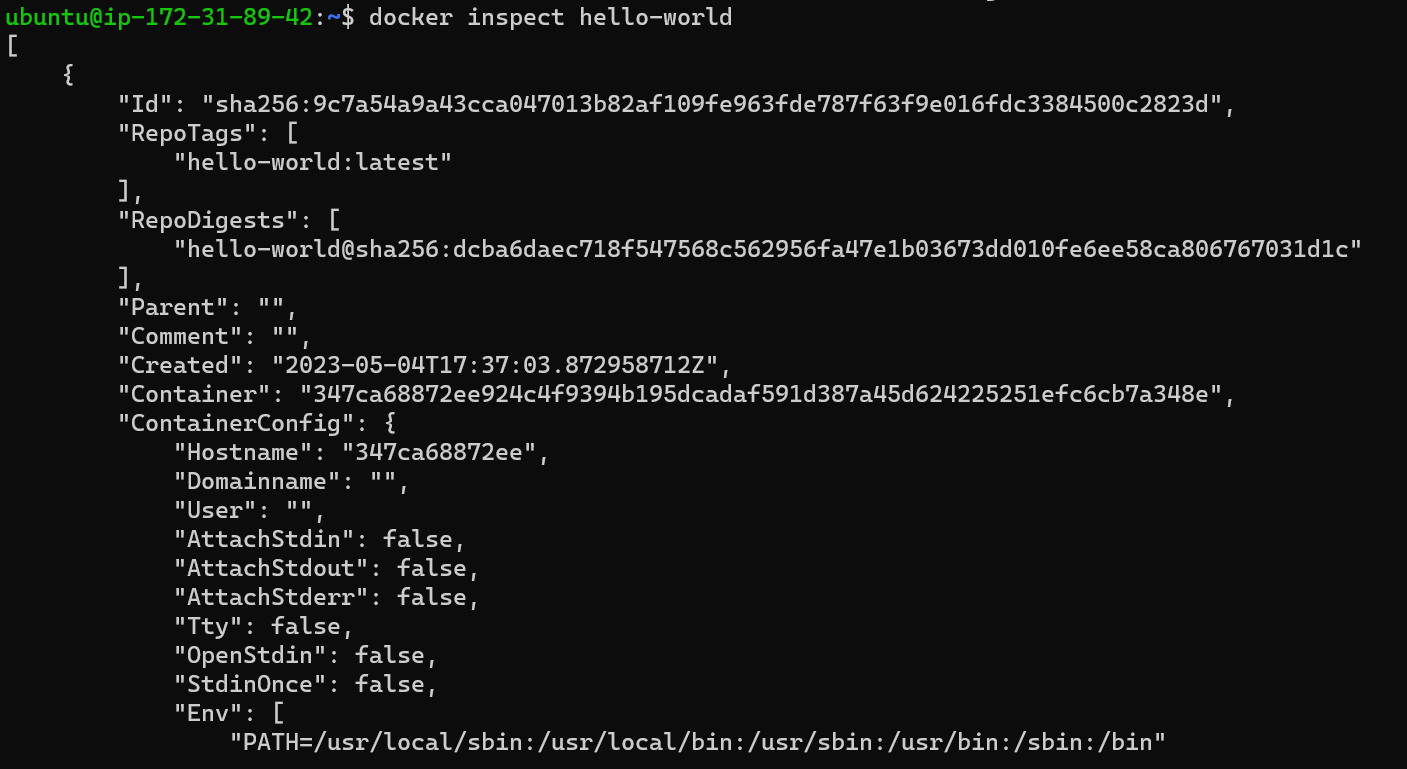
Use the
docker portcommand to list the port mappings for a container.
Use the
docker statscommand to view resource usage statistics for one or more containers.
Use the
docker topcommand to view the processes running inside a container
Use the
docker savecommand to save an image to a tar archive.
Use the
docker loadcommand to load an image from a tar archive.

In conclusion, 🚀 this journey into Docker's universe has unveiled a world of possibilities for modern software development. By demystifying the intricacies of containerization and introducing you to fundamental Docker commands, we've equipped you to navigate the seas of software deployment with confidence.
As you embrace Docker's power to package applications and dependencies seamlessly, you're poised to conquer the challenges of consistency, portability, and collaboration 🌐. Armed with the knowledge of basic commands, you have the tools to command your containers effortlessly, orchestrating them to align with your unique development needs ⚙️.
So whether you're an aspiring developer venturing into the realm of containerization or an experienced coder seeking efficiency gains, Docker has revealed itself as an indispensable treasure in your toolkit 🛠️. As you embark on your Docker journey, remember that while commands drive the ship, your creativity and innovation steer the course 🧭. Embrace Docker, master its commands, and watch your development endeavors set sail on the waves of success 🌊. Happy coding! 🎉


